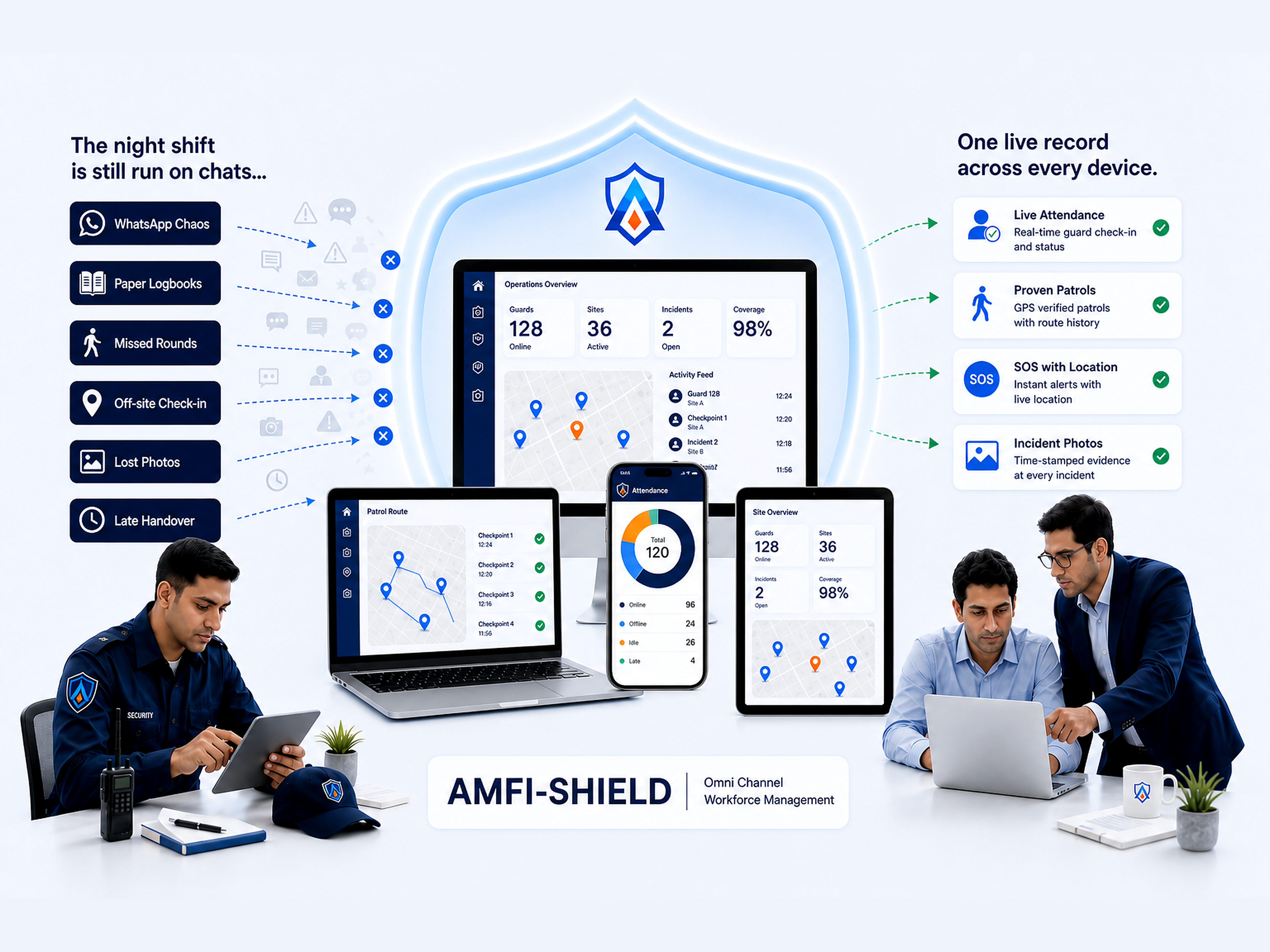
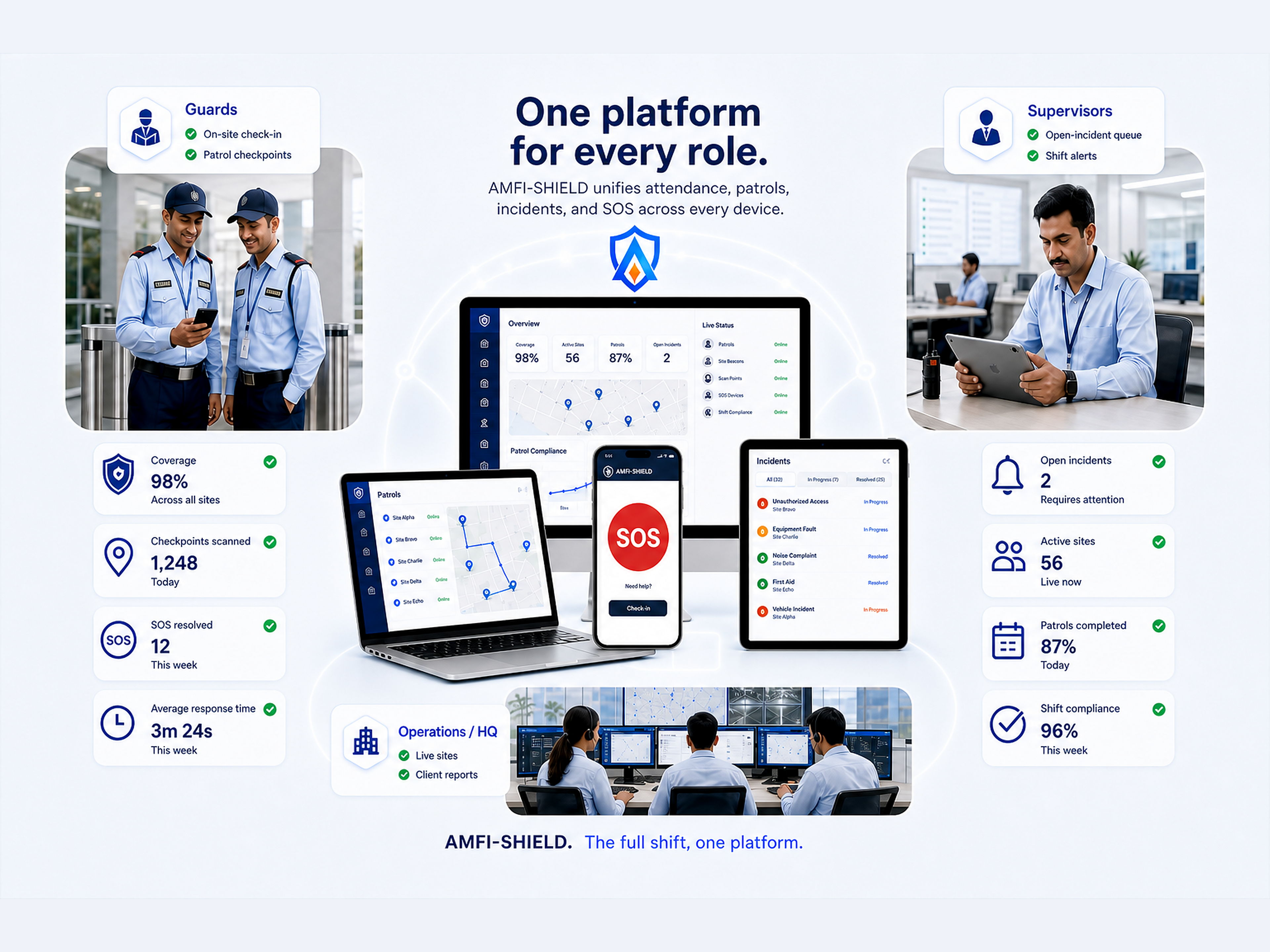
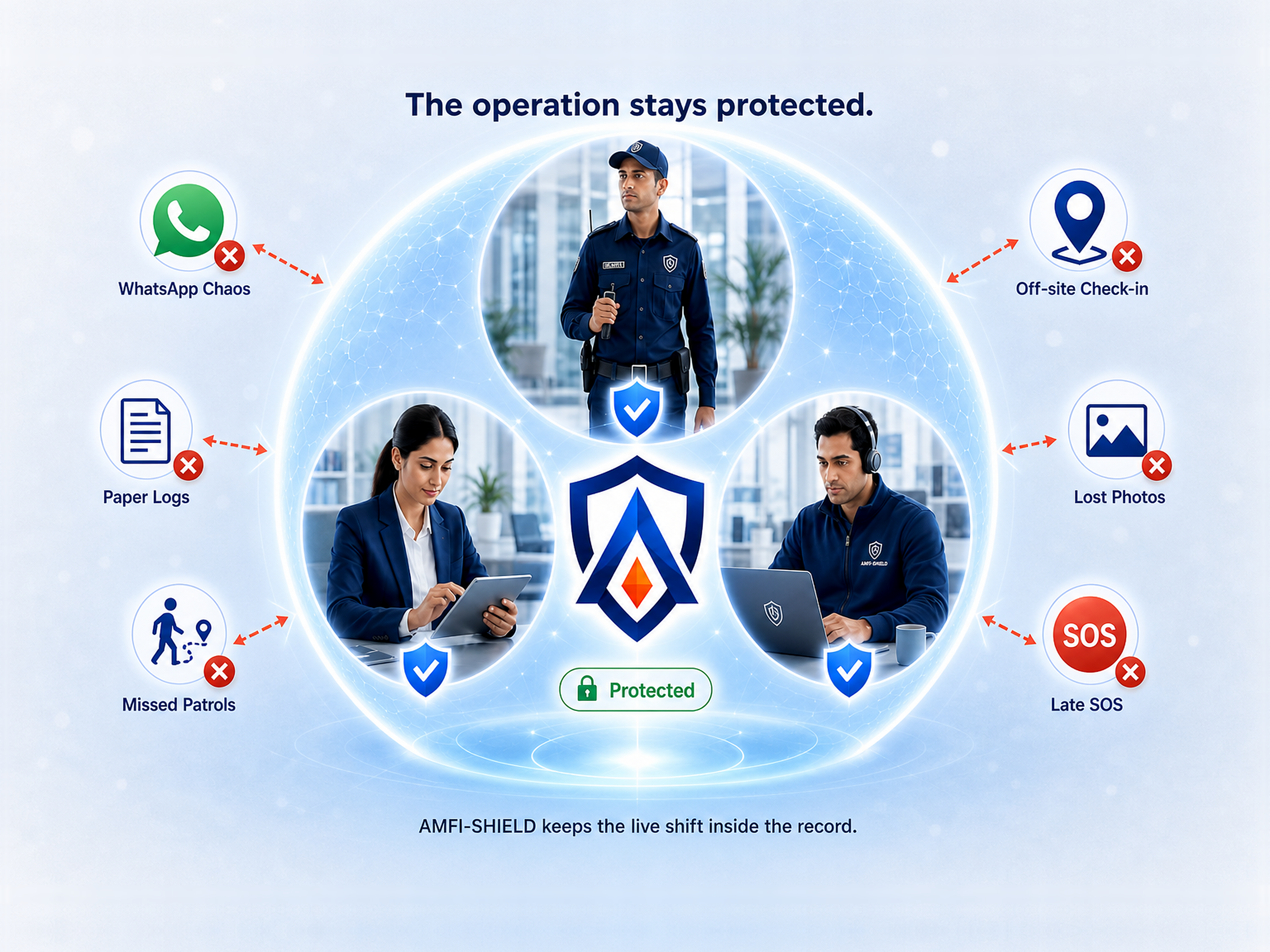
Guard phones, supervisor apps, tablets, and the operations portal — one live record across every device.
On site
Attendance at the gate
Proven
Patrol checkpoints
SOS
Alert with location
Logged
Incidents with photos
The platform
One platform. The right application for every role.
Guard App, Supervisor App, Operations/Admin Portal, and Client Portal. Each role has its own application. The record is shared.
01
Mobile
For guards on patrol
Guard App
The guard’s phone is the logbook: check in, complete the route, file an incident, or send an SOS — without leaving the post.
Check in on the assigned site
Complete the patrol route
File an incident from the post
Send an SOS in one tap
Keep working if the signal drops
02
Mobile
For shift leaders
Supervisor App
The supervisor works the shift, not a group chat: who is on duty, which site needs attention, and which incidents are still open.
See who is on duty now
Work the open-incident queue
Get alerts during the shift
Close incidents before handover
Brief the next shift from the same record
03
Web
For owners and operations
Operations/Admin Portal
HQ runs the company from a web dashboard: people, sites, history, and the report the client asked for.
See every site from HQ
Review the night after it ends
Export the client report
Approve leave against the roster
Keep each company and site separate
04
Web
For the client
Client Portal
Give the client site-level visibility without forwarding a chat. Attendance, patrols, and incidents they are entitled to see.
Open the sites they contract
Review attendance and patrol proof
Read incidents without a group chat
Download the file they already ask for
See only their own operation
How AMFI-SHIELD works
From the phone in the field to a decision at HQ.
Record, sync, flag, act. One record moves with the shift — it is not retyped later.
01
Recorded in the field
The guard records the check-in, checkpoint, incident, or SOS on the phone — at the moment it happens.
Nothing waits for a paper book at the guardhouse.
02
Synced to HQ
When the phone is back online, those records upload. Loss of network does not mean loss of captured work.
HQ does not wait on a forwarded screenshot.
03
Flagged automatically
Late check-ins, missed checkpoints, open incidents, and SOS alerts are flagged without anyone chasing a chat.
The exception list is ready before anyone asks.
04
Acted on in the shift
Supervisors and HQ work from dashboards, alerts, and reports built off the same field record.
The briefing and the client file start from one source.
How it compares
Built for the whole shift — not a chat or an HR system.
Most sites still run on chats and logbooks. Some already have HR. Neither replaces patrols, incidents, and the live shift.
Included Partial or add-on Not built for this
Workforce and HR
Employee information and HR records
WhatsApp & paper
HR / payroll
AMFI-SHIELD
Payroll, statutory contributions, and claims
WhatsApp & paper
HR / payroll
AMFI-SHIELD
GPS attendance with geofencing
WhatsApp & paper
HR / payroll
AMFI-SHIELD
Roster and shift scheduling
WhatsApp & paper
HR / payroll
AMFI-SHIELD
Leave and overtime trail
WhatsApp & paper
HR / payroll
AMFI-SHIELD
Field operations
QR patrol checkpoints and missed-round alerts
WhatsApp & paper
HR / payroll
AMFI-SHIELD
Incident reports with photos and close-out
WhatsApp & paper
HR / payroll
AMFI-SHIELD
SOS to supervisor and control room
WhatsApp & paper
HR / payroll
AMFI-SHIELD
Offline capture, then sync
WhatsApp & paper
HR / payroll
AMFI-SHIELD
Live view for guards, supervisors, and HQ
WhatsApp & paper
HR / payroll
AMFI-SHIELD
Supervisor mobile app
WhatsApp & paper
HR / payroll
AMFI-SHIELD
Client and site reporting
WhatsApp & paper
HR / payroll
AMFI-SHIELD
Multiple sites, with roles and separate companies
WhatsApp & paper
HR / payroll
AMFI-SHIELD
Systems
Integration with payroll / HR systems
WhatsApp & paper
HR / payroll
AMFI-SHIELD
HR pays the workforce. AMFI-SHIELD runs the shift.
Capability
WhatsApp & paper
Group chats and logbooks
HR / payroll
Pays the workforce
The platform
AMFI-SHIELD
The full shift, one platform
Workforce and HR
Employee information and HR records
Payroll, statutory contributions, and claims
GPS attendance with geofencing
Roster and shift scheduling
Leave and overtime trail
Field operations
QR patrol checkpoints and missed-round alerts
Incident reports with photos and close-out
SOS to supervisor and control room
Offline capture, then sync
Live view for guards, supervisors, and HQ
Supervisor mobile app
Client and site reporting
Multiple sites, with roles and separate companies
Systems
Integration with payroll / HR systems
Included Partial or add-on Not built for this
HR pays the workforce. AMFI-SHIELD runs the shift.
Who it’s for
Built first for security agencies across all nations.
Also a fit for corporate security, facilities, and campuses that run more than one site.
01
Primary
Security agencies
You answer to several clients at once. Each site stays visible without another group chat per contract.
One system across contracted sites
Proof ready after every shift
Less time reconciling overtime
Handover that does not depend on one supervisor’s phone
02
Corporate security
In-house and contracted teams cover offices, plants, and warehouses after hours. Management needs a trail, not another spreadsheet.
One view across locations
Clear shift windows
An incident trail for management
In-house and vendor teams in the same operation
03
Facilities & property
Malls, industrial parks, and buildings need a patrol record that still stands up the next morning.
Rounds you can show, checkpoint by checkpoint
Cleaner handover between shifts
On-site supervisor control
A file you can open when something is missing
04
Campuses & institutions
Hospitals, colleges, and public sites need an overnight record that is easy to review — not a stack of logbooks.
Named roles, not shared logins
A record internal review can open
Coverage you can inspect the next day
Less paper on the night desk
In the product today
What you can run on the shift.
The capabilities below are live in AMFI-SHIELD today — from the gate to the client file.
Attendance
01
GPS attendance with geofencing
The check-in has to happen at the site. A selfie from elsewhere, or a colleague clocking in for someone, does not count.
▸GPS or QR check-in and check-out
▸Geofence bound to the site
▸A timestamped trail for overtime disputes
Patrols
02
Patrols that can be proven
QR checkpoints turn “we patrolled” into a time-stamped route. Missed points surface before the shift ends.
▸Scan at each checkpoint
▸Compliance visible during the round
▸Missed-point alerts and full history
Incidents
03
Incidents captured in the shift
Type, location, description, and photo sit in one record. The case stays open until someone closes it.
▸Capture in one flow from the field
▸Severity, owner, and close-out together
▸Searchable by site when asked
SOS
04
SOS when a call is not enough
One button on the guard’s phone. The alert reaches the supervisor and control room with a location attached.
▸Emergency button in the Guard App
▸Push to supervisor and HQ
▸Stays visible until it is resolved
Live ops
05
Live monitoring
See who is on duty, on break, or off, with location while the device is online. Exceptions notify the people who can still act.
▸Duty status and live location
▸Push notifications for exceptions
▸The same picture for field lead and HQ
HQ
06
Leave, reports, and HQ structure
Leave sits next to the roster. Analytics and exports are built for how agencies actually bill and brief.
▸Leave request and approval
▸Reports the client would recognise
▸Company and site kept as separate workspaces
Security
How client data is secured.
AMFI-SHIELD holds the live shift: who was on post, which rounds ran, what was reported, and where an SOS was raised. That file belongs to the customer — isolated, encrypted, and opened only by authorised roles.
Client data
The shift file is the customer’s.
This is operational evidence — who was on post, which rounds ran, what was reported, and where an SOS was raised. It belongs to the customer. It is not a directory, and it is not ours to share.
Held in their workspace
Guard names, posts, and geofenced check-ins
Patrol routes, checkpoint scans, and missed rounds
Incident photos, notes, and close-out history
SOS alerts with live location
The site report the client already asks for
Never done with that file
Shared with another contracted client
Listed as a public people directory
Used as a marketing or prospecting file
Left open after a role or contract is removed
Tenant isolation
Workspaces are separated at the company and site level, so a leaked login in one contract cannot open another.
Encryption in transit and at rest
Records travel over encrypted connections. Stored attendance, patrol, incident, and SOS data is encrypted at rest.
Role-based access
A guard does not see HQ reports. A client does not see another client’s sites. Roles are granted, not inherited.
Client data stays with the client
The Client Portal is limited to contracted sites. Evidence and SOS stay inside that entitlement.
Full audit trail
The shift file is a time-stamped trail: check-ins, missed points, incident photos, alerts, and access changes.
Authorised teams only
AMFI-SHIELD is an operations record for people who are supposed to be on site — not hidden tracking, and not a public feed.
Pricing
Simple & Predictable Commercial Model
One implementation fee, one monthly rate, and a fixed path to go-live.
01
RM35K
Live in weeks
Fixed fee from kickoff to go-live
02
RM20
Per guard / month
Subscription, billed per active guard
03
Weeks, not months
Typical go-live
From first kickoff to a live shift
04No RM20 until live
Billing starts
The day you go live
RM20 per guard is not charged during implementation. Monthly billing begins only after the operation is live.
The questions agencies ask before they book time with us.
No. The Guard App is Android and runs on the phones guards already carry. Captured work stays on the device until it reconnects.
Off-site check-ins. If the guard is not at the site, the check-in does not count.
The alert opens with a location and stays on the supervisor and control-room queue until someone resolves it.
Yes. Run one site through a full cycle, then add the next. You do not have to migrate every contract on day one.
Yes. The Client Portal gives contracted clients site-level visibility — attendance, patrol proof, and incidents they are entitled to see — without forwarding a chat.
Not today. Keep payroll, statutory contributions, and claims where they are. AMFI-SHIELD runs the shift and can connect to the HR system you already use. Payroll and statutory can be added later.
No. AMFI-SHIELD is an operations record for authorised security work — people who are supposed to be on site — not hidden surveillance.
Next step
Request a 30-minute presentation.
Bring one site, one supervisor, and the report you currently send to your client.